MeshMerge — Mesh Combiner & Texture Array Baker
Combine meshes and materials into an optimized workflow built for real Unity projects.
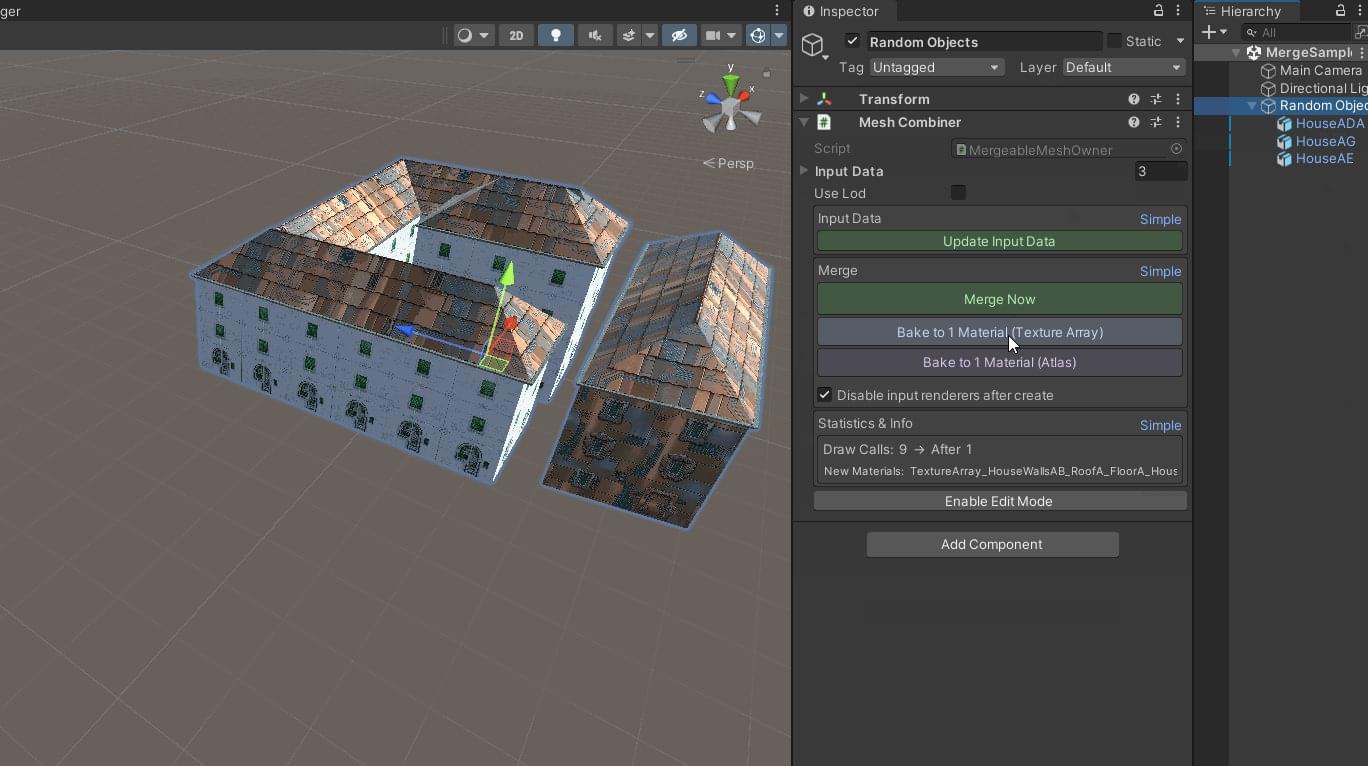
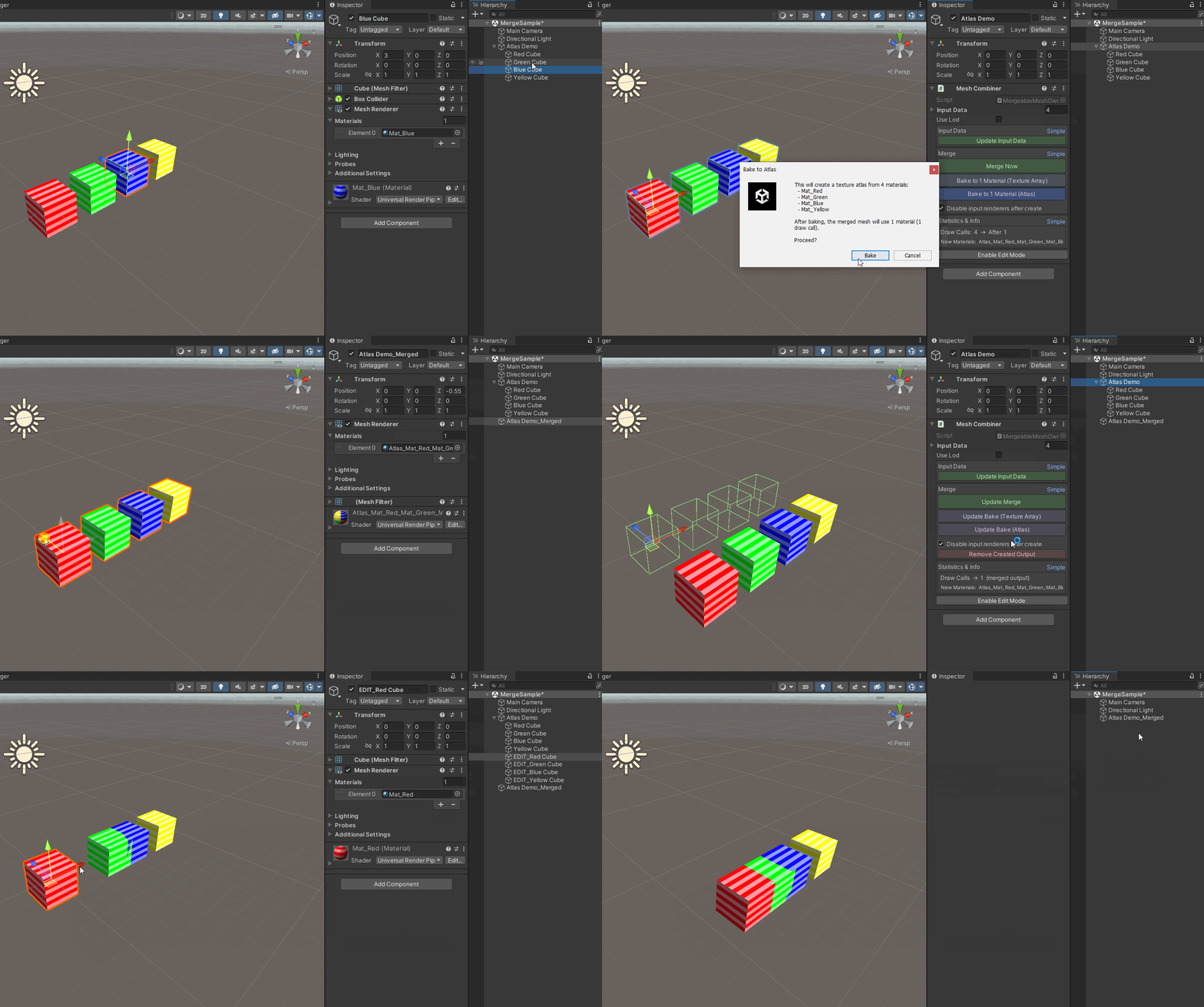
What it does
MeshMerge combines multiple meshes and materials so scenes and prefabs can be rendered with fewer draw calls. It supports two baking workflows — a texture atlas and a texture array — so the right approach can be chosen per material setup.
- Combine meshes into a single mesh.
- Bake materials into a texture atlas or a texture array.
- Reduce material and submesh complexity in production scenes.
- Designed as an editor tool for real Unity projects rather than toy scenes.
Two baking workflows
Bake to Atlas
Packs material textures into a single atlas texture, letting combined geometry share one material. Best where materials share comparable texture requirements.
Bake to Texture Array
Packs textures into a texture array, keeping per-material texture detail without an atlas layout. Best where atlas packing would otherwise distort or degrade results.
Support and documentation
Documentation and support are handled through the Asset Store listing and by email. If you run into an issue with a specific Unity version or render pipeline, include the version and a short description in your message.
Performance notes and limitations
Performance varies by scene, material setup and target platform. The tool reduces draw calls and material complexity; it is not a universal guarantee of a specific frame-rate improvement.
Questions about MeshMerge?
Email support